Screen Time for Windows 10 and 11
Where your day goes.Counted.TimeWell keeps count.

CPU while you work. The tracker listens for Windows events instead of polling.
The whole tracker on disk. One to four megabytes in Task Manager.
A year of history, typically. Written a few rows at a time, every five minutes.
Accounts, servers or trackers for your activity. It is stored in one file on your PC.
What TimeWell shows you.
Today against your average, a goal ring, pickups, notifications and the hour-by-hour chart. The focus timer and today's habits join it once you use them.

Focus for a while.
It follows you.

This one is live. Hover it for Pause and Stop, drag it anywhere in the frame, and when the session ends it offers the break.
Focus, short break, and a long break after four rounds. Every length is adjustable, and breaks can start by themselves.
Windows' Do Not Disturb turns on for a focus session and goes back to how it was for the break.
Marks the end of each focus session and break, so you can look away from the clock.
On the Focus page, like a media key. The timer keeps running when the window is closed.
Keep a habit.
Or let TimeWell count it.
Something you did: read, stretched, wrote. Tick it in the app or on the widget.
Code for an hour. TimeWell counts it from your usage; nothing to tick.
Half an hour of a language site a day, counted the same way.
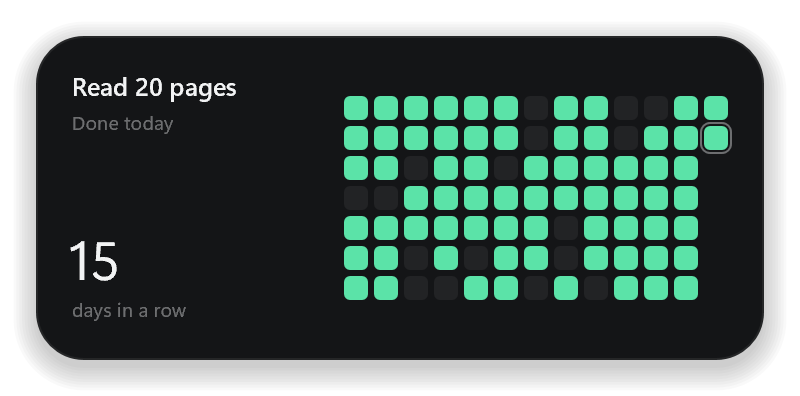
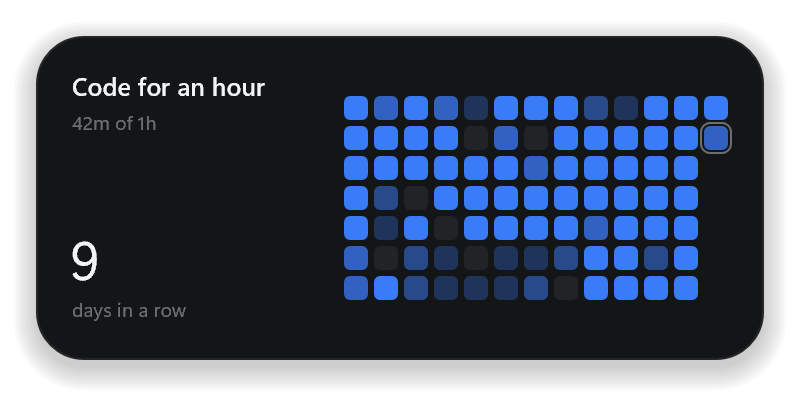
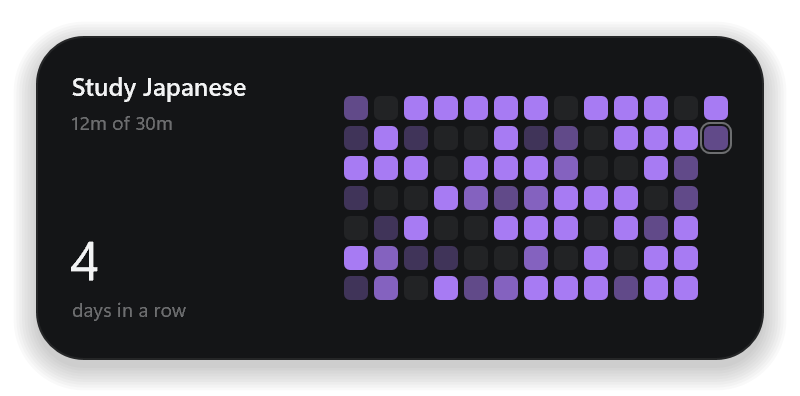


Habits also live on the desktop: a widget per habit, with its streak, or one large widget for all of today's. A check-in is one click on your wallpaper.
Glanceable,
On your wallpaper.
Today's total and the goal along with the hourly chart and your top apps.


Last 7 weeks or 3 months of progress of your habits, where a check-in is one click.


The ring, the minutes left, and one button that starts or pauses a session. It only comes small.

Built to stay on your PC.
Which app or website was in front, for how long, when you picked up, how many notifications each app sent: all of it in activity.db in your own user folder. A year is typically under a megabyte.
Website time reads only the browser's address bar, and only the domain. Never page content, never the full URL, never what you type.
No window titles, no keystrokes, no screenshots, no notification text. Settings > Hold to delete all activity removes your screen time, pickups and notification history.
Everything free
for 7 days.
| Feature | Free | Pro |
|---|---|---|
| Tracking | Never stops | Included |
| History | Today and the 7 days before | All of it |
| Week and month comparisons | Not included | Included |
| Habits | 1 | Unlimited |
| Widgets | 1 small Screen Time | All |
| Focus | Timer in the app | + floating pill, Do Not Disturb, custom lengths, history |
| Share cards | Included | Included |
| Export to CSV | Included | Included |
The first 7 days are Pro, free, with no account and no card. Nothing you record is ever deleted: in Free, history keeps being recorded and timed habits keep counting in the background, and check-in habits past the first can't be ticked but keep their past check-ins. Pro brings it all back. Export to CSV is free in every plan.
$5.90 for the first 100 customers, then $9.99 for the next 100, then $12.98
- Up to 2 PCs at once, sign one out any time
- Every future update, no subscription
- Works offline, on Windows 10 and 11
Post about it.
Get 100% back.
- 1Write it, or film it
TimeWell in your own words, or on your own screen: how you use it, or an answer to someone looking for an app like it.
- 2Post it, and say it's rewarded
A public Reddit post or comment, a post or reply on X, or a Reel, TikTok or YouTube Short, with timewell.in or “timewellapp”, starting with “Ad: TimeWell refunds my purchase for this post”.
- 3Send your claim
Email us the link once a post reaches 2,000 views, or a video 5,000, within 25 days of buying Pro.
Questions,
Answered.
How long each app and website is in front of you, how often you pick up your PC, and how many notifications each app sends. Reading and watching count too, even when you don't touch anything. When you step away and your screen turns off or locks, the quiet time before it is left out.

Sticky notes that peek from the edge of your screen.
Hover the edge of your screen and your notes slide out: soft paper colours, a hand-drawn font, instant search. Hide them again with a flick. Offline, no account needed, and made with the same care as TimeWell.
peekynotes.in